A project often starts with the desire to fix something or make it better. You notice a gap, something missing, or an experience that could be more convenient.
For me, that gap is local information. Finding out about an upcoming event or an incident that has stirred a neighbourhood or an entire city can mean searching through many channels and websites.
AI as a thinking partner
I like using AI as a second voice in the conversation. It helps me structure my ideas and plans, and sometimes points out something I have overlooked.
I can also ask it to quickly explore the space: who is already working on similar products, how they operate, what they do well, and where my idea might offer something different.
I do not agree with every suggestion. Sometimes I would take a different approach to implementation or choose different first steps. At other times, its legal or security concerns feel excessive for the situation.
That does not mean those concerns should be ignored. Often the assistant needs more context, and it is my responsibility to correct it and explain the details it is missing.
Capture the idea before context is lost
These conversations can grow long, and important details are easy to lose. When we approach the context limit, it is time to create the first project document: CONCEPT.md.
I use it to capture the idea, the vision and the principles behind the project. It gives the next conversation a foundation when I reset or compress the chat context.
Visualising the path of a signal
Once the overall direction feels right, I can move on to prototypes. With AI, I built a small lab that shows how a signal travels from its source to the output.
A client, such as a mobile app or a Telegram channel, can then take that output and present it appropriately, requesting more data when needed.
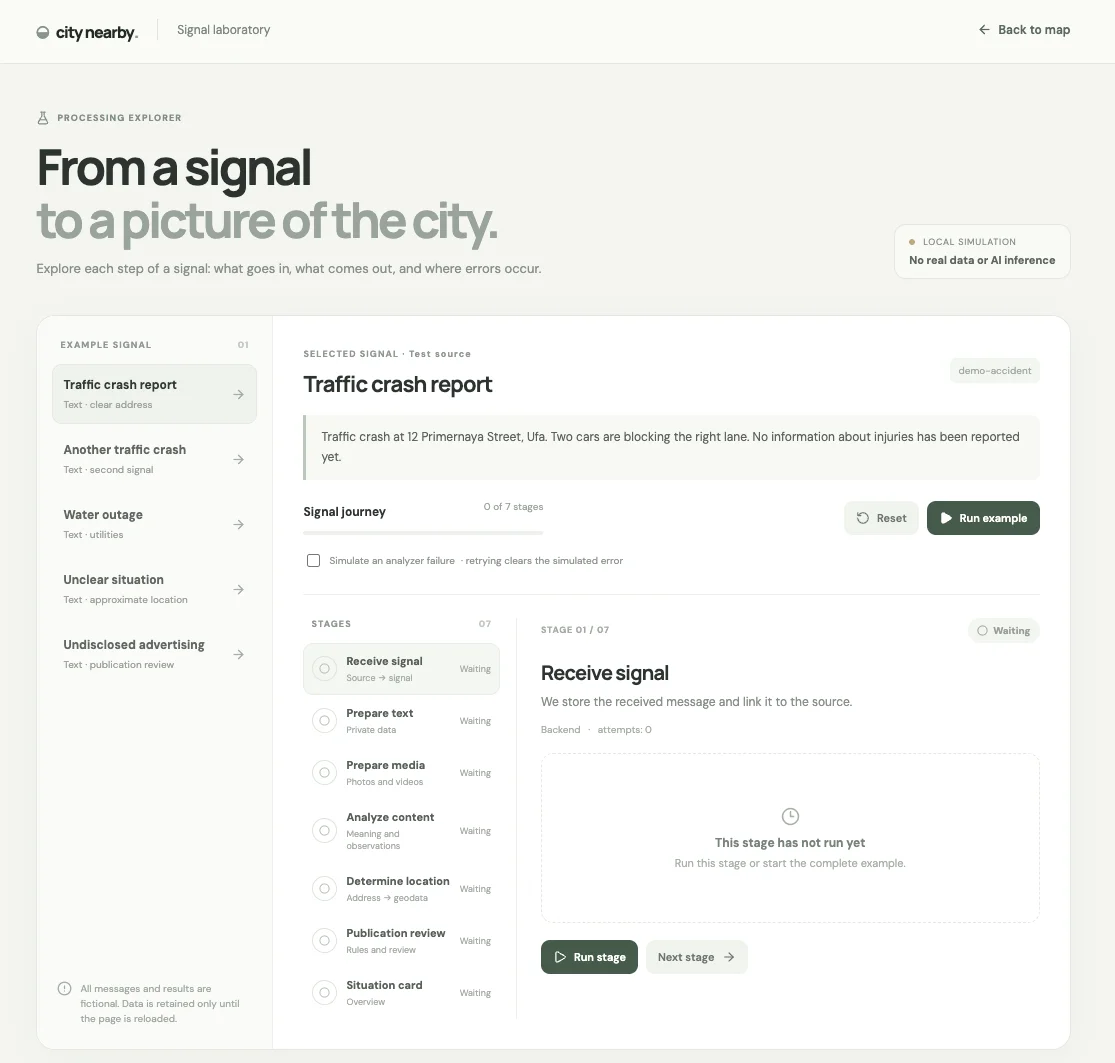
I think visually, so diagrams and interactive components help me test a hypothesis or understand a data flow. They also help me design the shape of data moving between parts of the system.
Finding an interface for the city
I am interested in interfaces that can change dynamically, and I started prototyping Ryab’s main screen with that idea in mind.
My first attempts looked like either a conventional map or a standard feed of news and events. Neither felt right, so I moved toward a hybrid.
The map shows what is happening nearby. A bottom panel holds a feed for events and news that are harder to place on the map.
I also added a search bar for asking a city AI about a selected city: what is happening, where to go, where to eat, or what might be interesting along the way.
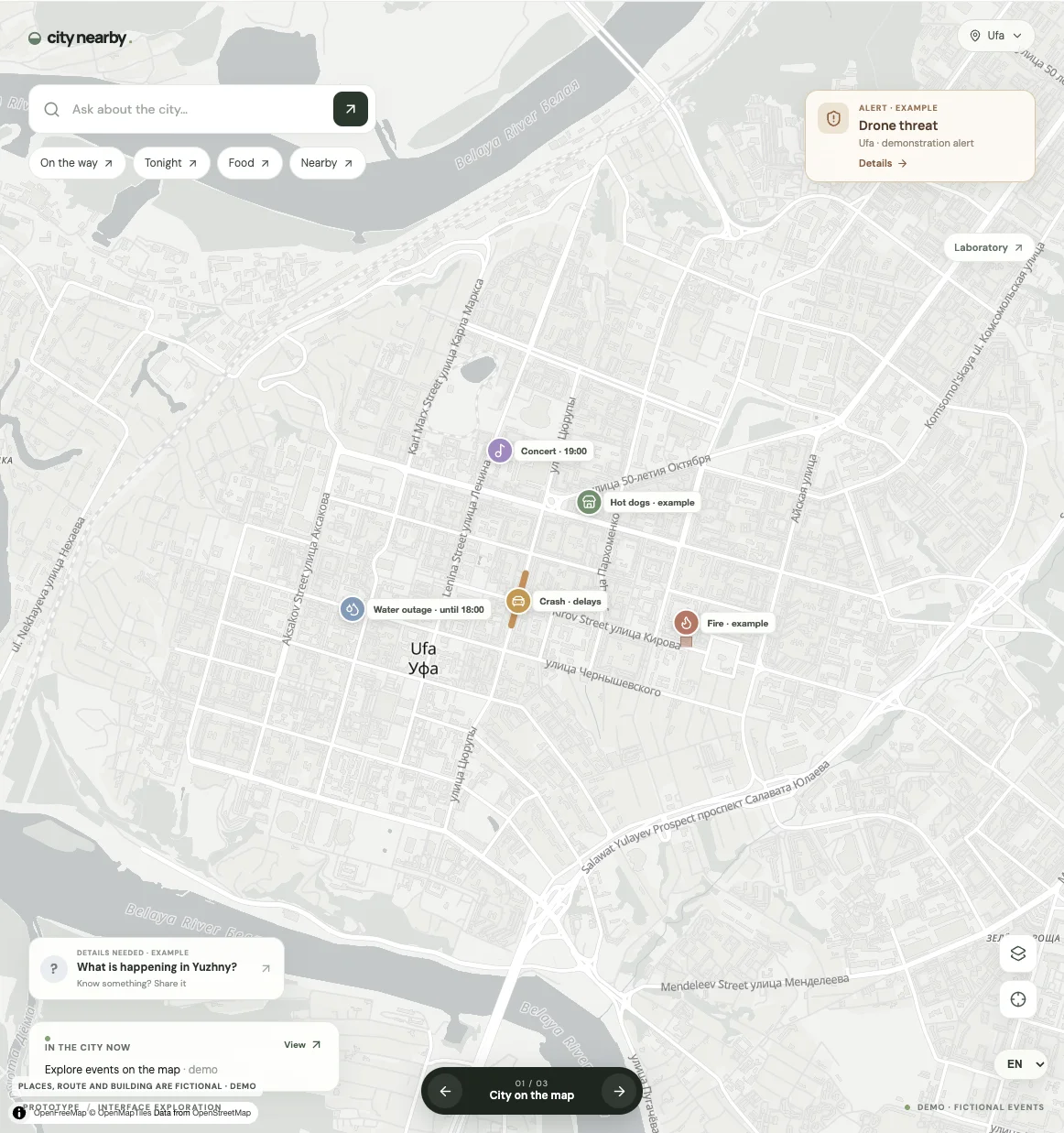
These are prototype ideas I want to explore, not a description of finished features.
A few hours from idea to prototype
Getting from the idea to these prototypes took around four to five hours. I drew on the visual direction of the previous version of Ryab, but added concepts I felt were missing.
AI is a tool. It does not replace the person behind the project, but in capable hands it can feel like a superpower.