Backend: qualify the onboardings
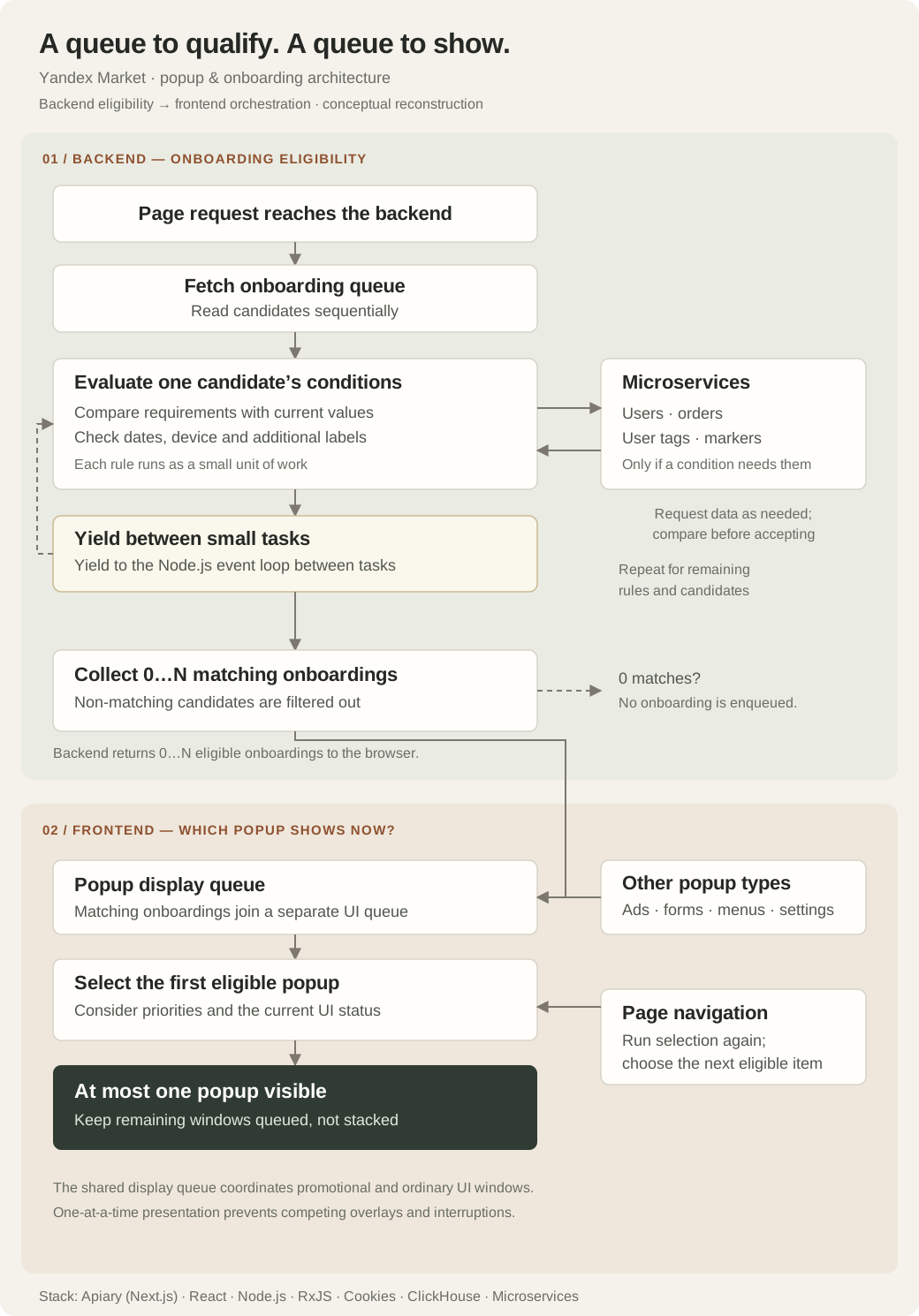
When a Market page loads, it requests the onboarding queue from the backend. The backend reads candidates sequentially and evaluates their conditions. Where a condition needs additional data, it calls the relevant microservices for users, orders, or user tags and markers. Requirements are compared with current values, including dates, device and any additional labels supplied to the flow. All of this eligibility work happens on the backend.
Keep the Node.js event loop available
Backend condition evaluation is split into small tasks that yield to the Node.js event loop between units of work. This prevents queue processing from monopolizing the server event loop. The backend returns zero or more matching onboardings to the browser, where they enter the separate popup display queue.
Frontend: coordinate every popup
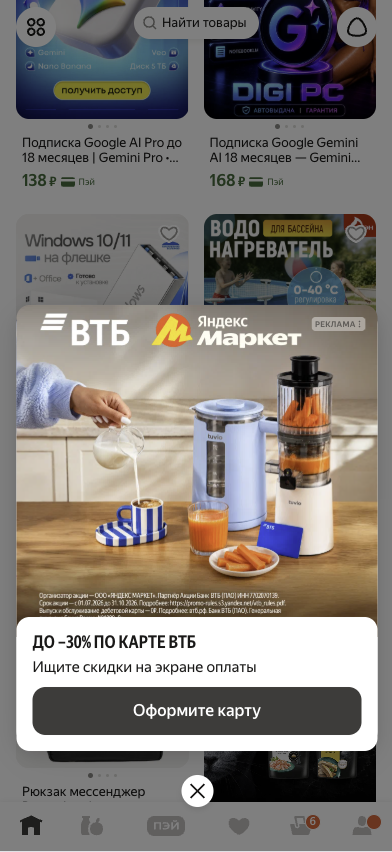
Matching onboardings enter a separate frontend display queue. That queue also coordinates advertising and ordinary interface windows, including forms, menus and settings. It considers display priorities and current UI status, then chooses the first eligible item. At most one popup is visible at a time, preventing windows from stacking and competing for the user’s attention.
Navigation advances the selection
When the user navigates to another page, the display queue runs its selection again and chooses the next eligible popup. Separating qualification from presentation lets the system prepare relevant candidates without allowing each feature to interrupt the user independently.
An internal emulator for the whole queue
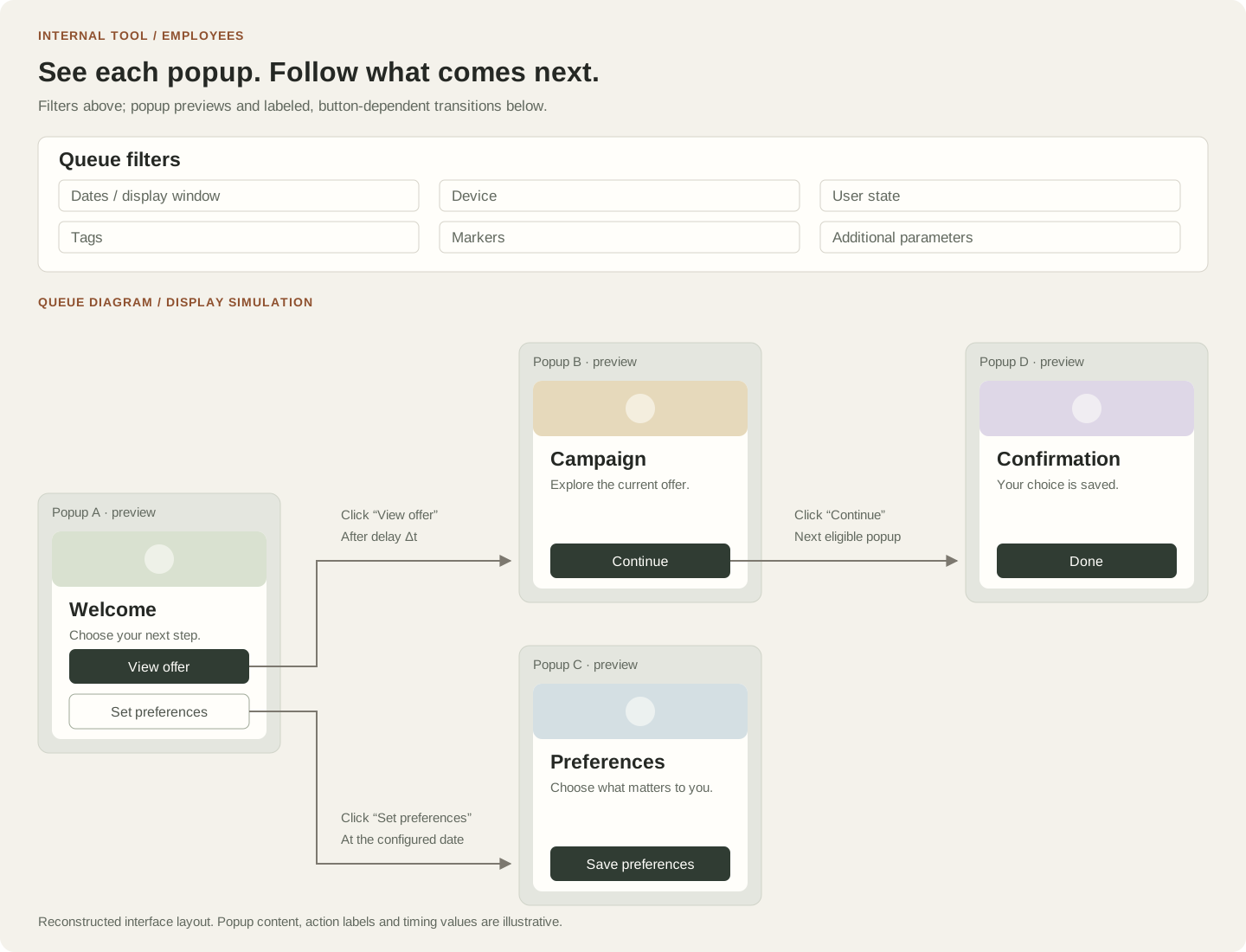
I built a separate tool for employees to inspect and simulate the onboarding queue. Filters across all queue parameters sat at the top. Below them, popup previews formed a diagram of the whole queue, with labeled arrows showing which popup came next, including time delays and display dates. Employees could change the scenario and emulate how popups would be shown before a campaign reached customers. Transitions could branch: clicking different buttons in one popup could open different subsequent popups. The diagram made these button-dependent paths visible.
Making the platform usable by marketing
I extended the existing onboarding queue across Market, Market B2B and Yandex Go. An emulator for rules, user states, dates and locations helped marketing move from 2–4 to about 20 concurrent popup campaigns. Concurrent campaigns do not mean simultaneously visible windows: the display queue still allows only one at a time.
Measured product and performance results
I added a reusable popup authentication action; internal 11.11 campaign analytics showed an approximately 10% relative increase in authentication conversion. Stabilizing popup and banner heights, prerendering and deferring data loading also brought CLS and FCP within target thresholds, validated through Lighthouse and internal monitoring.